
API
1MSG × n8n: WhatsApp in your workflows and AI agents
1MSG now has a verified node in n8n. Add WhatsApp to your workflows and AI agents without writing API requests — on the official WhatsApp Business API.
1MSG now has an official, verified node in n8n. Adding WhatsApp to a workflow or an AI agent is now simpler: find 1MSG in n8n, connect your channel once, and start building.
If you already send requests to 1MSG from n8n and it works, you don't need to change anything.
Why a node
n8n connects the tools you already use — a CRM, an AI agent, email, your store — and runs the steps between them. For example, a new lead can email the team and update the deal in the same workflow.
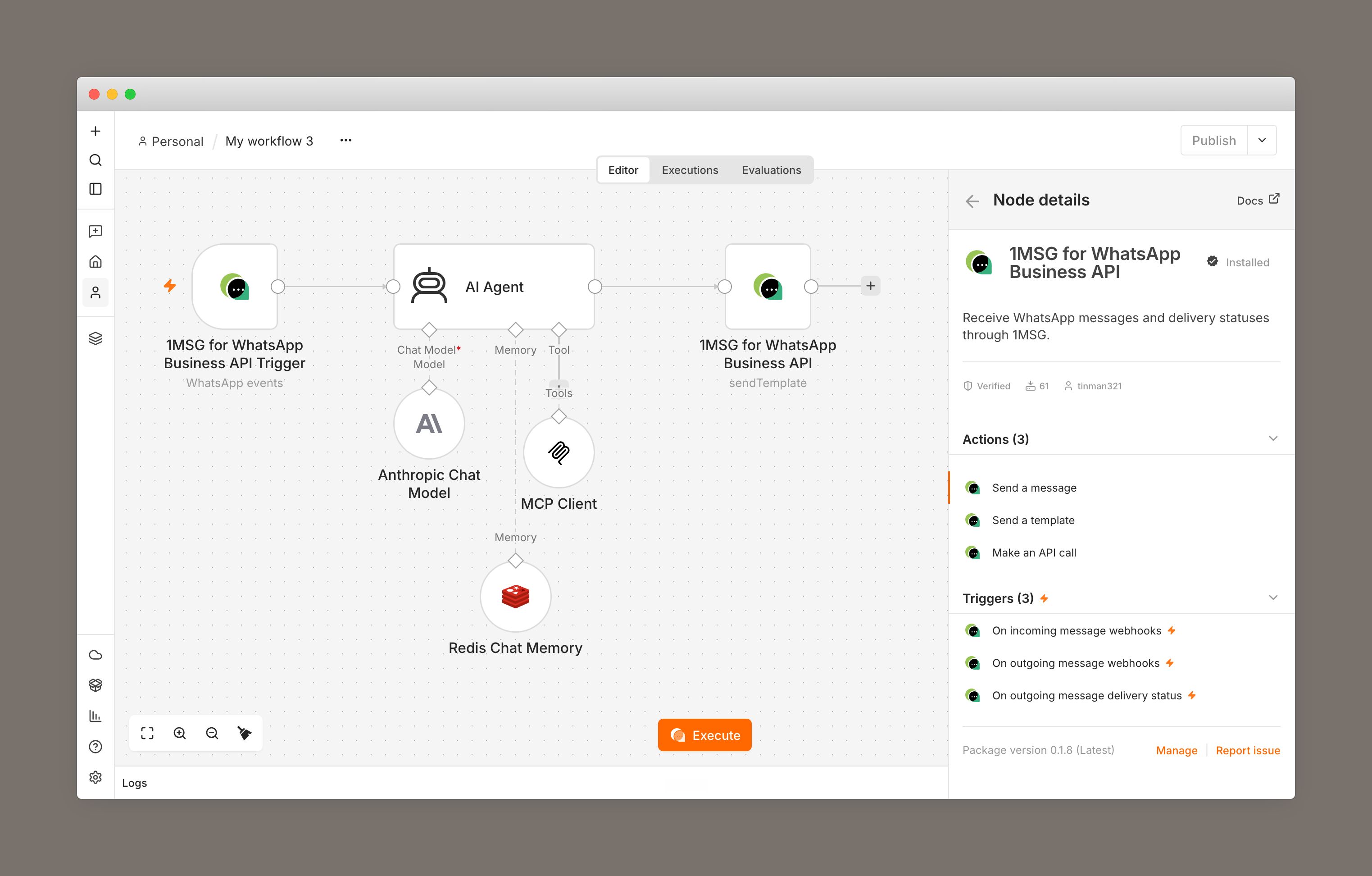
You could reach 1MSG from n8n before, but you had to know the API methods, your templates, and their parameters in advance, and write them into every request. The node does that work for you:
- Templates load from your channel. Pick one, and fields for its variables appear.
- Enter the recipient in whatever form you have it: a phone number with a plus, spaces, brackets, or dashes; a BSUID; a WhatsApp username; or the chat ID from an incoming message.
- Turn the workflow on, and the node registers itself on your channel. Incoming messages start arriving from then on.
- If a free-form message can't be sent because the 24-hour window is closed, the node says so and points you to a template.
Everything runs on the official WhatsApp Business API.
What you can build
The node can take an incoming WhatsApp message and send a reply, so one workflow can run the whole exchange. A few that teams build:
Answers on WhatsApp. A customer writes to ask where their order is. The AI agent checks your store and sends the answer back to them on WhatsApp, so nobody copies the question into another tool.
Leads that arrive filled in. Someone messages you after an ad, often with just "hi". The AI agent asks what they need and when they need it, then creates a CRM deal with those answers. Sales opens a lead that is ready to work.
Confirmations and reminders. A customer pays or books a visit. WhatsApp sends the confirmation right away, and a reminder the day before. The team doesn't send these one by one.
A reminder that didn't land. WhatsApp reports whether a message was delivered, read, or failed. If it failed, the workflow takes another branch: an email, or a call task for a manager.
These four are a start. n8n lists more than 2,300 integrations — CRMs, stores, email, databases, AI models — and can call any service that has an HTTP API. WhatsApp through 1MSG joins that same workflow.
Get started
In n8n, search for 1MSG and add your channel API key or a free test channel API key.
Setup and workflow examples are in the 1MSG n8n repository on GitHub.