
Incomplete action reminder: WhatsApp API template
The scenario sends the client a personalized WhatsApp template when they started but did not finish an important action.
Use case overview
The scenario sends the client a personalized WhatsApp template when they started but did not finish an important action. The message includes the client name, the incomplete action, and what remains to complete. A static URL button opens the portal, checkout, or form to resume.
Template example
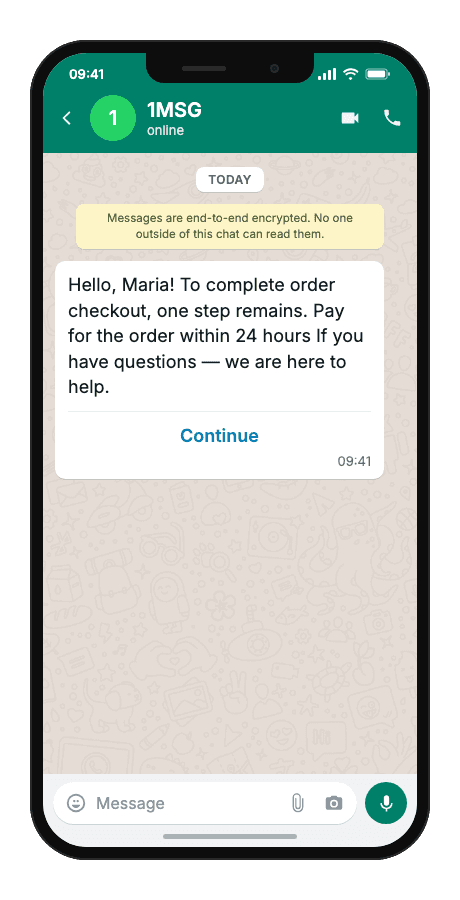
Hello, {{1}}! To complete {{2}}, one step remains. {{3}} If you have questions — we are here to help.
- {{1}}customer name
- {{2}}incomplete action (e.g. order payment, loan application, KYC upload)
- {{3}}remaining step or deadline (e.g. complete payment within 24 hours)
- “Continue”button — fixed in the Meta template
When to use it
Reach for this scenario when a client starts checkout, onboarding, or verification but leaves before finishing — and you need them back on the exact step they abandoned. It fits e-commerce teams recovering unpaid carts, product teams nudging KYC or profile completion, and agencies wiring cart-abandon or draft-saved triggers from a client's CRM or analytics stack.
Workflow
- Customer acts
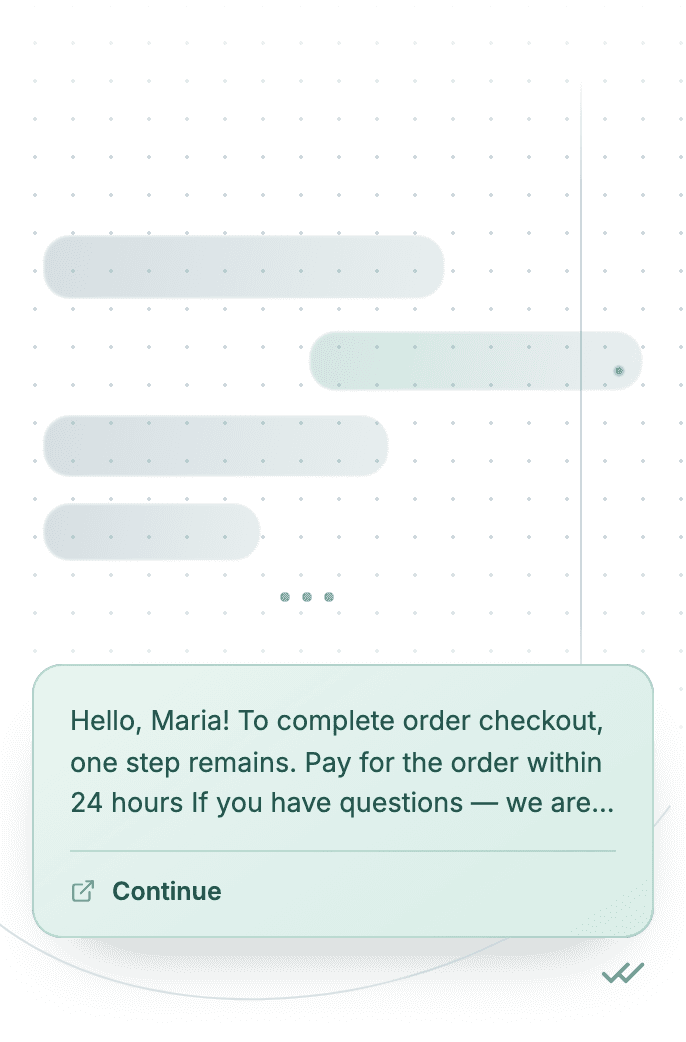
The client starts an action but leaves before completion.
user action - Capture event
The system detects the incomplete state and resolves the recipient phone number.
phone:"+…" - Build & send
A personalized template message is built with three body variables and a static URL button.
POST/sendTemplate - Delivered
The client receives the WhatsApp reminder with action context and the remaining step.
delivered - Status tracked
Delivery result is logged; errors are handled according to platform rules.
status:"read"
Technical implementation
Prerequisites
- 1MSG API Key · How to get API Key
- WhatsApp Business account · How to Connect WABA
- WhatsApp Template · How to Approve WABA Template
- Customer opt-in · How to Manage Customers Consent
Code examples
#!/usr/bin/env bash
set -euo pipefail

# === Configuration (replace "___" placeholders) ===

API_BASE_URL="https://api.1msg.io"        # production 1MSG API base URL
CHANNEL_ID="___"                           # channel ID from 1MSG dashboard
API_TOKEN="___"                            # channel JWT token (Bearer)

TEMPLATE_NAME="___"                        # approved template name
TEMPLATE_NAMESPACE="___"                   # template namespace (required — send fails without it)
TEMPLATE_LANGUAGE="___"                    # template language code, e.g. "en"


# === Test data ===
TEST_PHONE="___"                 # client phone in international format
TEST_CUSTOMERNAME="___"         # {{1}} customer name
TEST_INCOMPLETEACTION="___"         # {{2}} incomplete action
TEST_NEXTSTEP="___"         # {{3}} next step

PHONE_NORM="$(printf '%s' "$TEST_PHONE" | tr -cd '0-9')"

for pair in "CHANNEL_ID=$CHANNEL_ID" "API_TOKEN=$API_TOKEN" \
            "TEMPLATE_NAME=$TEMPLATE_NAME" "TEMPLATE_NAMESPACE=$TEMPLATE_NAMESPACE" \
            "TEMPLATE_LANGUAGE=$TEMPLATE_LANGUAGE" "TEST_PHONE=$TEST_PHONE" \
            "TEST_CUSTOMERNAME=$TEST_CUSTOMERNAME" \
            "TEST_INCOMPLETEACTION=$TEST_INCOMPLETEACTION" \
            "TEST_NEXTSTEP=$TEST_NEXTSTEP"; do
    val="${pair#*=}"
    if [ -z "$val" ] || [ "$val" = "___" ]; then
        echo "Missing configuration value: ${pair%%=*}" >&2
        exit 1
    fi
done

if [ -z "$PHONE_NORM" ]; then
    echo "Error: phone number has no digits after normalization" >&2
    exit 1
fi

URL="${API_BASE_URL%/}/${CHANNEL_ID}/sendTemplate"

# params carries body ONLY. Button text is fixed in the Meta template — no button param.

# {{1}} customer name → ${TEST_CUSTOMERNAME}
# {{2}} incomplete action → ${TEST_INCOMPLETEACTION}
# {{3}} next step → ${TEST_NEXTSTEP}
read -r -d '' PAYLOAD <<JSON || true
{
  "phone": "${PHONE_NORM}",
  "template": "${TEMPLATE_NAME}",
  "namespace": "${TEMPLATE_NAMESPACE}",
  "language": { "policy": "deterministic", "code": "${TEMPLATE_LANGUAGE}" },
  "params": [
    {
      "type": "body",
      "parameters": [
        { "type": "text", "text": "${TEST_CUSTOMERNAME}" },
        { "type": "text", "text": "${TEST_INCOMPLETEACTION}" },
        { "type": "text", "text": "${TEST_NEXTSTEP}" }
      ]
    }

  ]
}
JSON

RESPONSE="$(curl -s -w '\n%{http_code}' -X POST "$URL" \
    -H "Content-Type: application/json" \
    -H "Authorization: Bearer ${API_TOKEN}" \
    -d "$PAYLOAD")"

HTTP_CODE="$(printf '%s' "$RESPONSE" | tail -n1)"
BODY="$(printf '%s' "$RESPONSE" | sed '$d')"

case "$BODY" in
    *'"sent":true'*) ok=1 ;;
    *) ok=0 ;;
esac

if [ "$HTTP_CODE" -ge 200 ] && [ "$HTTP_CODE" -lt 300 ] && [ "$ok" -eq 1 ]; then
    echo "Message sent to client."
    echo "API response: $BODY"
else
    echo "Send failed. HTTP status: $HTTP_CODE" >&2
    echo "$BODY" >&2
    exit 1
fi
Response and delivery status
HTTP 2xx and JSON "sent": true mean 1MSG accepted the message for sending — not that it already reached the customer's phone. Save the id field (looks like wamid.…) to correlate delivery callbacks.
{
  "sent": true,
  "message": "Sent to [email protected]",
  "description": "Message has been sent to the provider",
  "id": "wamid.HBgLMzgwNjM5..."
}sentAccepted for sending — not yet on the customer's phone
idStore it; delivery callbacks and
hookInfoare keyed on this
Common errors
| Status | API response | Cause | Fix |
|---|---|---|---|
| 200 | Message was not sent: template is not defined | namespace, template or language is missing from the request body. | Send all three. Take namespace and the exact template name from GET /templates; language is an object: {"policy": "deterministic", "code": "en"}. |
| 200 | template name (…) does not exist in <language> | The template is approved in a different language than the one requested. | Use the exact language code the template was approved in (for example es_MX is not the same as es). Check it in GET /templates. |
| 200 | Message was not sent: provide chatId, phone, bsuid, or username | No recipient the channel could resolve. | Pass exactly one recipient: phone (country code plus number, digits only), chatId (for example [email protected]) or bsuid. |