
Payment method choice with WhatsApp buttons (API)
The scenario sends the customer a personalised WhatsApp template when billing needs to know the payment method.
Use case overview
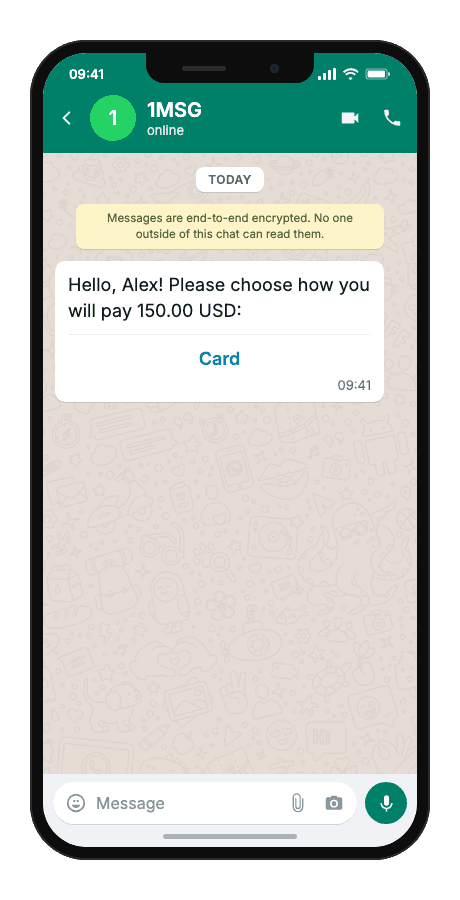
The scenario sends the customer a personalised WhatsApp template when billing needs to know the payment method. The message includes the customer name and amount due. Two quick-reply buttons let the customer choose card or bank transfer; the webhook delivers the choice to your backend.
Template example
Hello, {{1}}! Please choose how you will pay {{2}}:
- {{1}}customer name
- {{2}}payment amount
- “Card”button — fixed in the Meta template“Bank Transfer”button — fixed in the Meta template
When to use it
Reach for this scenario when billing is ready to collect payment but the customer's method is still unknown and you need that answer before generating the right instructions — and there is no open WhatsApp session to ask in free text. It fits checkout and billing flows, B2B invoicing where card vs bank transfer changes what you send next, and integrators routing quick-reply webhook events into billing or ERP.
Workflow
- Trigger
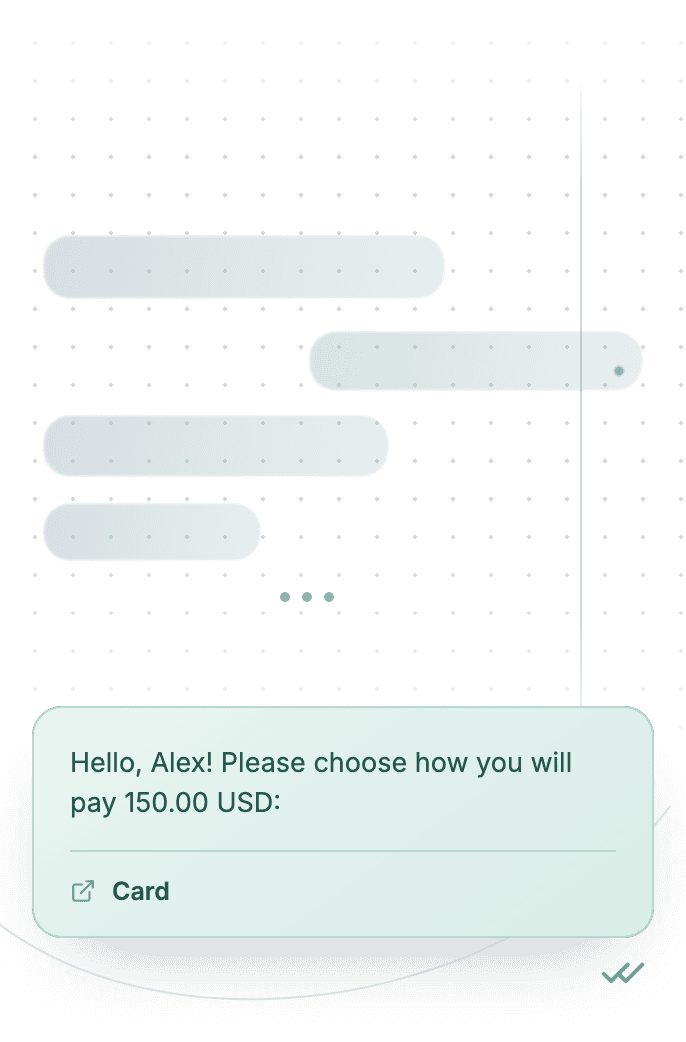
Billing detects that payment method is missing and fires an event.
event·triggered - Capture event
The system resolves the customer phone number and payment amount.
phone:"+…" - Build & send
A personalised template message is built with two body variables and two quick-reply buttons.
POST/sendTemplate - Delivered
The customer receives the WhatsApp message and taps card or bank transfer.
delivered - Status tracked
The webhook delivers the structured choice to billing for the next payment step.
status:"read"
Technical implementation
Prerequisites
- 1MSG API Key · How to get API Key
- WhatsApp Business account · How to Connect WABA
- WhatsApp Template · How to Approve WABA Template
- Customer opt-in · How to Manage Customers Consent
- Webhook endpoint · How to Set Up Webhooks
Code examples
#!/usr/bin/env bash
set -euo pipefail

# === Configuration (replace "___" placeholders) ===

API_BASE_URL="https://api.1msg.io"        # production 1MSG API base URL
CHANNEL_ID="___"                           # channel ID from 1MSG dashboard
API_TOKEN="___"                            # channel JWT token (Bearer)

TEMPLATE_NAME="___"                        # approved template name
TEMPLATE_NAMESPACE="___"                   # template namespace (required — send fails without it)
TEMPLATE_LANGUAGE="___"                    # template language code, e.g. "en"


# === Test data ===
TEST_PHONE="___"                 # client phone in international format
TEST_CUSTOMERNAME="___"         # {{1}} customer name
TEST_PAYMENTAMOUNT="___"         # {{2}} payment amount

PHONE_NORM="$(printf '%s' "$TEST_PHONE" | tr -cd '0-9')"

for pair in "CHANNEL_ID=$CHANNEL_ID" "API_TOKEN=$API_TOKEN" \
            "TEMPLATE_NAME=$TEMPLATE_NAME" "TEMPLATE_NAMESPACE=$TEMPLATE_NAMESPACE" \
            "TEMPLATE_LANGUAGE=$TEMPLATE_LANGUAGE" "TEST_PHONE=$TEST_PHONE" \
            "TEST_CUSTOMERNAME=$TEST_CUSTOMERNAME" \
            "TEST_PAYMENTAMOUNT=$TEST_PAYMENTAMOUNT"; do
    val="${pair#*=}"
    if [ -z "$val" ] || [ "$val" = "___" ]; then
        echo "Missing configuration value: ${pair%%=*}" >&2
        exit 1
    fi
done

if [ -z "$PHONE_NORM" ]; then
    echo "Error: phone number has no digits after normalization" >&2
    exit 1
fi

URL="${API_BASE_URL%/}/${CHANNEL_ID}/sendTemplate"

# params carries body ONLY. Button text is fixed in the Meta template — no button param.

# {{1}} customer name → ${TEST_CUSTOMERNAME}
# {{2}} payment amount → ${TEST_PAYMENTAMOUNT}
read -r -d '' PAYLOAD <<JSON || true
{
  "phone": "${PHONE_NORM}",
  "template": "${TEMPLATE_NAME}",
  "namespace": "${TEMPLATE_NAMESPACE}",
  "language": { "policy": "deterministic", "code": "${TEMPLATE_LANGUAGE}" },
  "params": [
    {
      "type": "body",
      "parameters": [
        { "type": "text", "text": "${TEST_CUSTOMERNAME}" },
        { "type": "text", "text": "${TEST_PAYMENTAMOUNT}" }
      ]
    }

  ]
}
JSON

RESPONSE="$(curl -s -w '\n%{http_code}' -X POST "$URL" \
    -H "Content-Type: application/json" \
    -H "Authorization: Bearer ${API_TOKEN}" \
    -d "$PAYLOAD")"

HTTP_CODE="$(printf '%s' "$RESPONSE" | tail -n1)"
BODY="$(printf '%s' "$RESPONSE" | sed '$d')"

case "$BODY" in
    *'"sent":true'*) ok=1 ;;
    *) ok=0 ;;
esac

if [ "$HTTP_CODE" -ge 200 ] && [ "$HTTP_CODE" -lt 300 ] && [ "$ok" -eq 1 ]; then
    echo "Message sent to client."
    echo "API response: $BODY"
else
    echo "Send failed. HTTP status: $HTTP_CODE" >&2
    echo "$BODY" >&2
    exit 1
fi
Response and delivery status
HTTP 2xx and JSON "sent": true mean 1MSG accepted the message for sending — not that it already reached the customer's phone. Save the id field (looks like wamid.…) to correlate delivery callbacks.
{
  "sent": true,
  "message": "Sent to [email protected]",
  "description": "Message has been sent to the provider",
  "id": "wamid.HBgLMzgwNjM5..."
}sentAccepted for sending — not yet on the customer's phone
idStore it; delivery callbacks and
hookInfoare keyed on this
Common errors
| Status | API response | Cause | Fix |
|---|---|---|---|
| 200 | Message was not sent: template is not defined | namespace, template or language is missing from the request body. | Send all three. Take namespace and the exact template name from GET /templates; language is an object: {"policy": "deterministic", "code": "en"}. |
| 200 | template name (…) does not exist in <language> | The template is approved in a different language than the one requested. | Use the exact language code the template was approved in (for example es_MX is not the same as es). Check it in GET /templates. |
| 200 | Message was not sent: provide chatId, phone, bsuid, or username | No recipient the channel could resolve. | Pass exactly one recipient: phone (country code plus number, digits only), chatId (for example [email protected]) or bsuid. |