
Ticket accepted notification via WhatsApp API
The scenario sends the client a personalized WhatsApp template when their support request is accepted for processing.
Use case overview
The scenario sends the client a personalized WhatsApp template when their support request is accepted for processing. The message includes the client name, ticket number, and the next step or expected timeline. A static URL button opens the ticket status page or help portal.
Template example
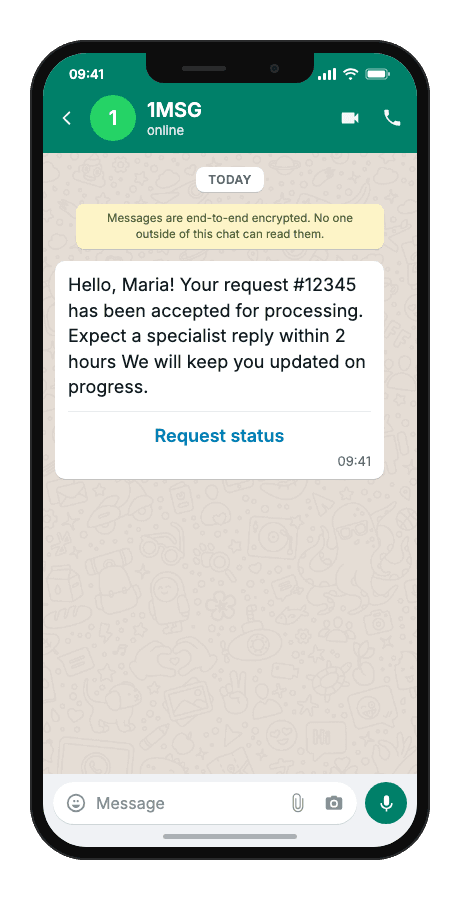
Hello, {{1}}! Your request #{{2}} has been accepted for processing. {{3}} We will keep you updated on progress.
- {{1}}customer name
- {{2}}ticket or case number
- {{3}}next step or expected response time (e.g. specialist will reply within 2 hours)
- “Request status”button — fixed in the Meta template
When to use it
Reach for this scenario when a client submits a support request and you need to confirm it was accepted before they call or write again — with no open WhatsApp conversation, only an approved template can go out first. It fits helpdesk and SaaS teams right after form or email intake, telecom and utilities acknowledging service requests with ticket number and SLA text, and agencies connecting Zendesk, Freshdesk, or a custom CRM webhook to outbound WhatsApp.
Workflow
- Trigger
The client submits a support request via form, chat widget, or email.
event·triggered - Creates a ticket
The helpdesk creates a ticket and fires an accepted-into-queue event.
event·triggered - Build & send
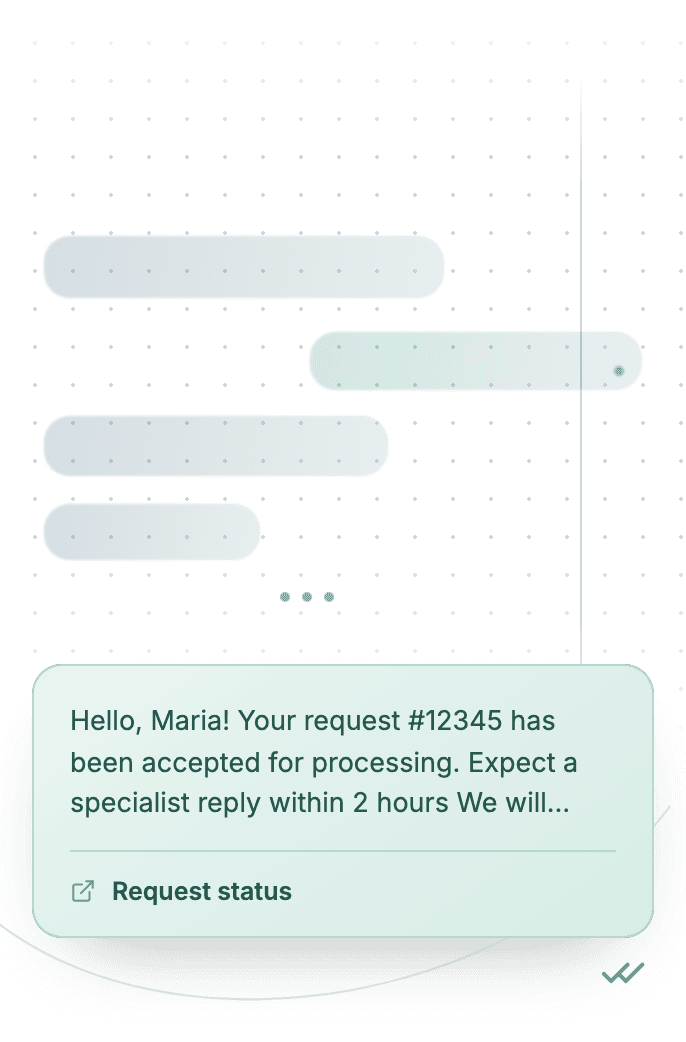
A personalized template message is built with three body variables and a static URL button.
POST/sendTemplate - Delivered
The client receives the WhatsApp confirmation with ticket number and next steps.
delivered - Status tracked
Delivery result is logged; errors are handled according to platform rules.
status:"read"
Technical implementation
Prerequisites
- 1MSG API Key · How to get API Key
- WhatsApp Business account · How to Connect WABA
- WhatsApp Template · How to Approve WABA Template
- Customer opt-in · How to Manage Customers Consent
Code examples
#!/usr/bin/env bash
set -euo pipefail

# === Configuration (replace "___" placeholders) ===

API_BASE_URL="https://api.1msg.io"        # production 1MSG API base URL
CHANNEL_ID="___"                           # channel ID from 1MSG dashboard
API_TOKEN="___"                            # channel JWT token (Bearer)

TEMPLATE_NAME="___"                        # approved template name
TEMPLATE_NAMESPACE="___"                   # template namespace (required — send fails without it)
TEMPLATE_LANGUAGE="___"                    # template language code, e.g. "en"


# === Test data ===
TEST_PHONE="___"                 # client phone in international format
TEST_CUSTOMERNAME="___"         # {{1}} customer name
TEST_TICKETNUMBER="___"         # {{2}} ticket number
TEST_NEXTSTEP="___"         # {{3}} next step

PHONE_NORM="$(printf '%s' "$TEST_PHONE" | tr -cd '0-9')"

for pair in "CHANNEL_ID=$CHANNEL_ID" "API_TOKEN=$API_TOKEN" \
            "TEMPLATE_NAME=$TEMPLATE_NAME" "TEMPLATE_NAMESPACE=$TEMPLATE_NAMESPACE" \
            "TEMPLATE_LANGUAGE=$TEMPLATE_LANGUAGE" "TEST_PHONE=$TEST_PHONE" \
            "TEST_CUSTOMERNAME=$TEST_CUSTOMERNAME" \
            "TEST_TICKETNUMBER=$TEST_TICKETNUMBER" \
            "TEST_NEXTSTEP=$TEST_NEXTSTEP"; do
    val="${pair#*=}"
    if [ -z "$val" ] || [ "$val" = "___" ]; then
        echo "Missing configuration value: ${pair%%=*}" >&2
        exit 1
    fi
done

if [ -z "$PHONE_NORM" ]; then
    echo "Error: phone number has no digits after normalization" >&2
    exit 1
fi

URL="${API_BASE_URL%/}/${CHANNEL_ID}/sendTemplate"

# params carries body ONLY. Button text is fixed in the Meta template — no button param.

# {{1}} customer name → ${TEST_CUSTOMERNAME}
# {{2}} ticket number → ${TEST_TICKETNUMBER}
# {{3}} next step → ${TEST_NEXTSTEP}
read -r -d '' PAYLOAD <<JSON || true
{
  "phone": "${PHONE_NORM}",
  "template": "${TEMPLATE_NAME}",
  "namespace": "${TEMPLATE_NAMESPACE}",
  "language": { "policy": "deterministic", "code": "${TEMPLATE_LANGUAGE}" },
  "params": [
    {
      "type": "body",
      "parameters": [
        { "type": "text", "text": "${TEST_CUSTOMERNAME}" },
        { "type": "text", "text": "${TEST_TICKETNUMBER}" },
        { "type": "text", "text": "${TEST_NEXTSTEP}" }
      ]
    }

  ]
}
JSON

RESPONSE="$(curl -s -w '\n%{http_code}' -X POST "$URL" \
    -H "Content-Type: application/json" \
    -H "Authorization: Bearer ${API_TOKEN}" \
    -d "$PAYLOAD")"

HTTP_CODE="$(printf '%s' "$RESPONSE" | tail -n1)"
BODY="$(printf '%s' "$RESPONSE" | sed '$d')"

case "$BODY" in
    *'"sent":true'*) ok=1 ;;
    *) ok=0 ;;
esac

if [ "$HTTP_CODE" -ge 200 ] && [ "$HTTP_CODE" -lt 300 ] && [ "$ok" -eq 1 ]; then
    echo "Message sent to client."
    echo "API response: $BODY"
else
    echo "Send failed. HTTP status: $HTTP_CODE" >&2
    echo "$BODY" >&2
    exit 1
fi
Response and delivery status
HTTP 2xx and JSON "sent": true mean 1MSG accepted the message for sending — not that it already reached the customer's phone. Save the id field (looks like wamid.…) to correlate delivery callbacks.
{
  "sent": true,
  "message": "Sent to [email protected]",
  "description": "Message has been sent to the provider",
  "id": "wamid.HBgLMzgwNjM5..."
}sentAccepted for sending — not yet on the customer's phone
idStore it; delivery callbacks and
hookInfoare keyed on this
Common errors
| Status | API response | Cause | Fix |
|---|---|---|---|
| 200 | Message was not sent: template is not defined | namespace, template or language is missing from the request body. | Send all three. Take namespace and the exact template name from GET /templates; language is an object: {"policy": "deterministic", "code": "en"}. |
| 200 | template name (…) does not exist in <language> | The template is approved in a different language than the one requested. | Use the exact language code the template was approved in (for example es_MX is not the same as es). Check it in GET /templates. |
| 200 | Message was not sent: provide chatId, phone, bsuid, or username | No recipient the channel could resolve. | Pass exactly one recipient: phone (country code plus number, digits only), chatId (for example [email protected]) or bsuid. |